
Two People, One Room, Eight Hours
Most shared-home-office advice falls into two camps: "just use headphones" or "build a second room." Neither is helpful. My wife and I shared a 10×12 office for three years during my product-management days. We learned through trial and error — mostly error — what actually prevents friction.
The problems aren't emotional. They're spatial and acoustic. Solve those, and the relationship stuff takes care of itself.
Desk Placement: Back-to-Back, Not Side-by-Side
Why Side-by-Side Fails
Side-by-side desks feel collaborative in theory. In practice, they create three problems: your video-call voice bleeds directly into your partner's microphone, your chair bumps theirs when you push back, and you can see each other's screens — which invites commentary neither of you asked for.
The Back-to-Back Configuration
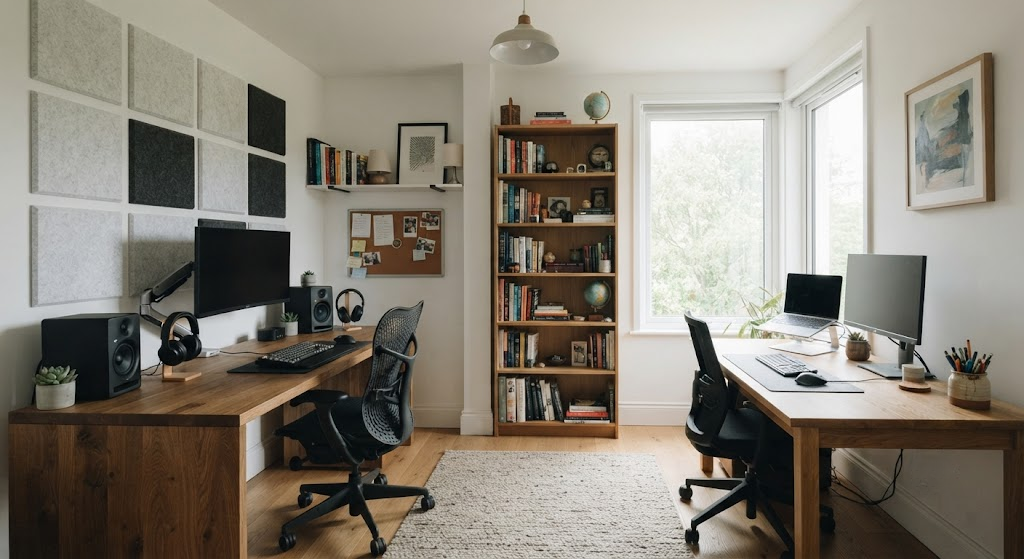
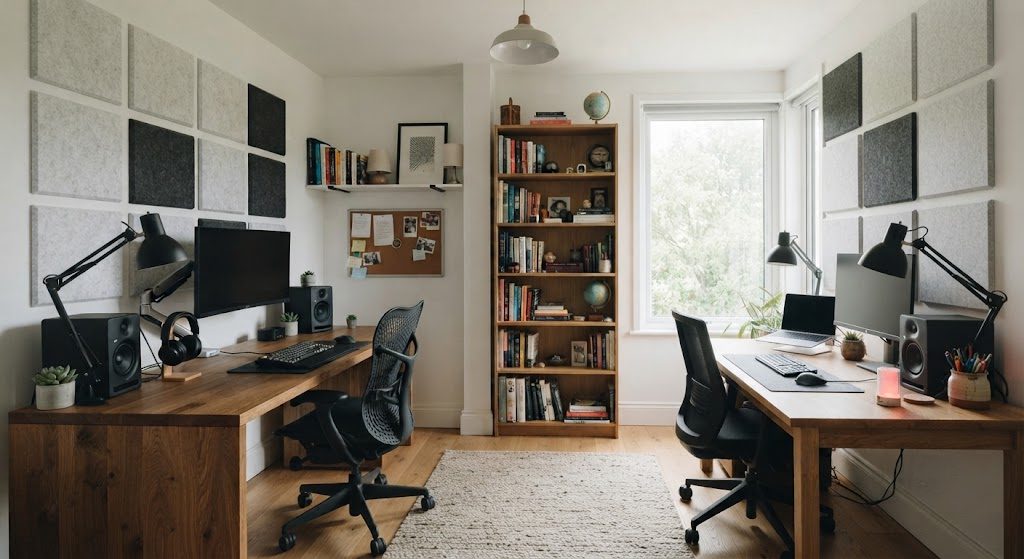
Place desks against opposite walls, with each person facing away from the other. This puts maximum physical distance between your two voices and angles each microphone away from the other person. In a 10×12 room, two desks against opposite long walls leave a 5-to-6-foot aisle between the chairs — enough for both people to roll back without colliding.
If the room is square, place desks in opposite corners. This creates a diagonal separation that's even more effective for acoustics than parallel walls.
Acoustic Separation: What Actually Works
The Bookshelf Divider
A tall bookshelf placed between the two workstations — perpendicular to the wall, acting like a partial room divider — absorbs and deflects sound. Fill it with books, not decorative objects. Books are dense and irregular; they scatter sound waves. An open-backed bookshelf works better than a solid one because sound passes through and loses energy, rather than bouncing back.
I tested this with a decibel meter during my shared-office years. A 6-foot bookshelf packed with books reduced conversational voice transmission by roughly 8–10 decibels. That's the difference between hearing your partner's entire sentence and hearing only a muffled tone.
Acoustic Panels, Placed Strategically
Acoustic foam panels don't need to cover every wall. Place three panels directly behind each monitor — that's where your voice projects during calls. The panels catch the direct sound before it reflects off the wall and travels across the room. A $40 pack of 12-inch square panels is sufficient for both workstations.
The Headphone Agreement
Noise-canceling headphones solve the listening side but not the speaking side. The real agreement to make: whoever is on a call speaks toward the wall, not toward the center of the room. It's a small habit that cuts cross-talk by half.
Storage Boundaries: His, Hers, and Ours
The Three-Category Rule
Shared storage fails when ownership is ambiguous. Divide every storage surface — shelves, drawers, credenza doors — into three categories:
Mine: My reference books, my cables, my archive. Clearly designated and off-limits.
Yours: Your supplies, your equipment. Same protection.
Ours: Shared printer, paper, shipping supplies. Communal maintenance is non-negotiable.
Label the shelves physically, not mentally. A strip of painter's tape with initials works fine. The label prevents the slow drift of "I thought that was mine" that turns into resentment.
Separate the Printer Zone
The printer is the most conflict-prone object in a shared office. It beeps, it jams, it runs out of paper, and someone always leaves it empty. Place the printer in a neutral zone — on a shared credenza or a small stand between the two workstations, equally inconvenient for both people. This sounds counterintuitive, but equal inconvenience means equal responsibility. If it's closer to one desk, that person becomes the default printer manager. You don't want that.
The Signal System: Do Not Disturb, Visualized
Why Verbal Signals Fail
Talking to signal that you don't want to be talked to is a broken loop. The only signal system that works in a shared office is visual and non-negotiable.
The Two-Color Light System
A simple USB-powered indicator light on each desk, switchable between two colors:
Red: Focus mode. Do not interrupt unless the house is on fire.
Green: Available. Taps on the shoulder, quick questions, and coffee offers are welcome.
Commercial "busy lights" cost $30–$60 and integrate with calendar apps. But a $15 desk lamp with a red bulb does the same job. The key is the agreement behind it — if red is on, you don't speak, full stop. No exceptions beyond genuine emergencies. This sounds rigid, but it's the only way the system survives the first week.
The Backup: Headphones On = Invisible
Headphones, even without music, are a universal "do not disturb" sign. Agree that over-ear headphones mean focus time, earbuds mean "I can pause if needed." This is a secondary system, less reliable than the light, but useful for quick visual checks from across the room.