
The Mistake That Fuels This Framework
Most desk shopping starts backwards. You find a style you like, maybe an adjustable frame in walnut laminate, then try to make it fit your room, your workflow, and your cables. I’ve done it. In product management, we learned to invert that process: define the functional constraints first, and let the form follow.
There are precisely five decisions that control every other variable in your desk setup. Choose these correctly, and you’ve solved 90% of your problems before the first box arrives. Get them wrong, and no amount of aftermarket accessories will fix the daily friction.
1. Surface Size: Stop Guessing, Start Measuring in "Active Zones"
A 48-inch desk is not a desk. It’s a foundation that must accommodate three distinct zones: your primary work zone (keyboard, mouse, monitor), your reference zone (notebook, phone, coffee), and your tool zone (drawers, shelves, document holder).
Here’s the product-manager math: measure the width of your monitor setup, add 8–10 inches on each side for the primary zone to breathe, then add another 10–12 inches for the reference zone. For a single 27-inch monitor, that’s 60 inches minimum. For dual monitors, 72 inches. Depth should never drop below 30 inches — you need at least 24 inches for your forearms to rest, plus clearance for a monitor arm and a task light behind the screen.
2. Height Adjustability: It’s Not About Standing — It’s About Fitting
The sit-stand debate misses the real superpower of adjustability: it lets you match the desk to your body, not the other way around. A fixed 29-inch desk is designed for the 50th percentile — if you’re shorter than 5'6" or taller than 6'1", you’ve been hunching or shrugging for years without realizing it.
An electric frame lets you dial in seated elbow height to the quarter-inch. If you only stand for 20 minutes a day, that’s still a lifetime of neutral wrists. The question isn’t "do you stand?" It’s "do your shoulders relax when you type?"
3. Material: What Your Wrists and Your Coffee Cup Will Test Daily
Laminate, veneer, solid wood — the hierarchy is real, but so is the use case. If you eat lunch at your desk or write with a heavy hand, laminate wins on abuse-tolerance. High-pressure laminate (HPL) resists scratches and moisture far better than melamine. If you want a surface you can sand and refinish in five years, solid wood is the only answer. Veneer sits in a tricky middle: it looks warm but can’t be repaired. I always ask one question: will this surface get wet regularly? If yes, rule out veneer and unfinished wood.
4. Leg Design: The Stability Equation No One Checks
T-legs, C-legs, four-post — the difference isn’t aesthetics. It’s lateral stability. A C-leg frame with a large desktop overhang will wobble side-to-side during intense typing or gaming. That wobble transfers directly to your monitor, causing eye strain you won’t consciously notice. Test the frame’s weight capacity and crossbar placement. If the spec sheet doesn’t list lateral stability data, look for a crossbar that runs the full width between the legs. That single bar does more for stability than an extra ten pounds of steel in the feet.
5. Cable Routing: The One Hour That Prevents Two Years of Tangle
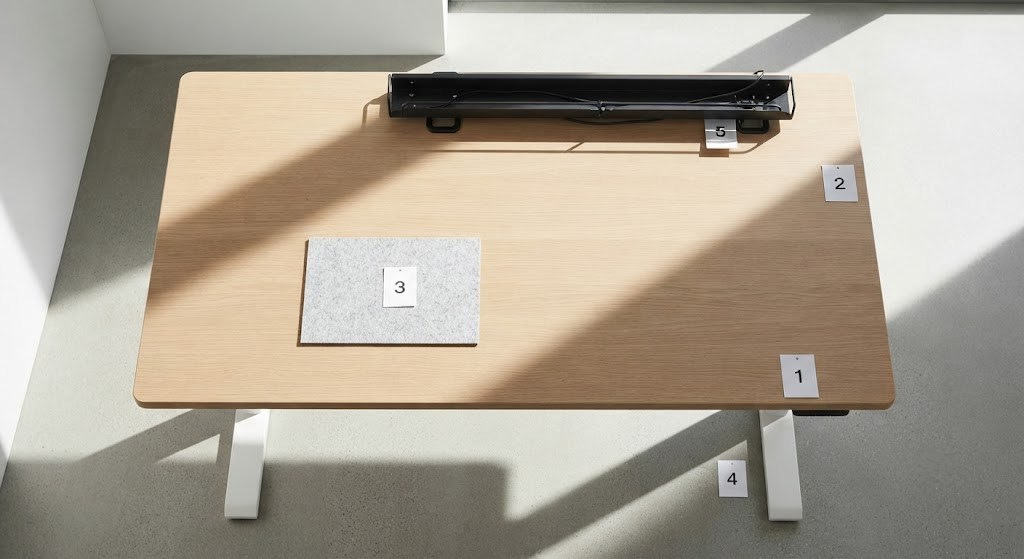
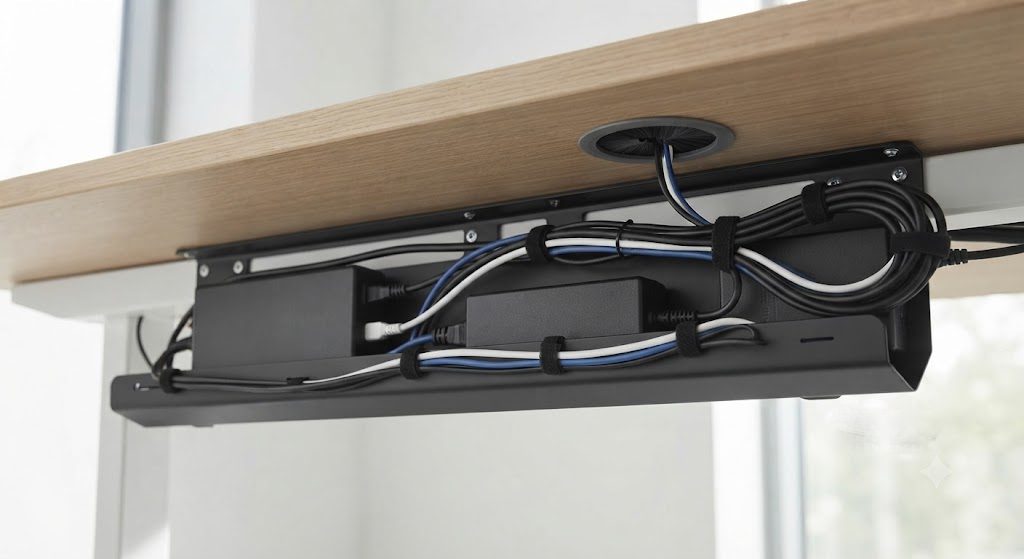
Cable management is not a finishing touch — it’s a structural feature. A desk without an integrated tray or grommet is a desk that will slowly turn into a knot of cords that drag on the floor. My rule: every cable must be off the floor within 18 inches of its outlet. Plan for a tray that mounts to the underside, and drill or buy grommet holes where power bricks gather. One final check: if you’re on carpet, leave a 2-inch gap between the lowest tray and the floor — otherwise your chair will snag the tray every time you roll under.