

Home office desk setup ideas are easy to get wrong because most people shop for furniture before they understand the room. I start the other way around: measure the wall, the door swing, the chair path, and the places where cords need to disappear. In a 10x11 room, a 60-inch desk with a 24- to 30-inch depth usually works better than a bigger piece that eats the only walking lane. If you are working from a closet office or a shared bedroom, the same rule still applies. The furniture has to fit the work, not the fantasy.
Measure the room before you pick the desk
The first thing I check is clearance. Leave 30 to 36 inches behind the chair if you can, because a tight aisle gets annoying fast when you stand up ten times a day. If the room is narrow, push the desk to the longest wall and keep the chair centered on the work zone instead of the room center. A 48-inch-wide desk is enough for a laptop and one external monitor. A 60-inch top gives you room for two monitors, a lamp, and a notebook without crowding the keyboard. In a corner, an L-shaped layout can work, but only if the return does not block the closet or the outlet you actually need.
One of the home office desk setup ideas I trust most is to plan the desk around the doorway, not the other way around. If a file drawer has to open into the aisle, it should be shallow or it will become dead space. If the desk is going against drywall, I like a 24-inch depth for laptop work and 30 inches when a monitor arm is involved. That extra six inches matters more than another decorative shelf. It gives your forearms room, keeps the screen farther from your face, and makes the whole setup feel less temporary.
Choose the desk for the work, not the trend
The desk should match the task. If you spend the day typing, a fixed-height desk with a good chair and a monitor arm is still a smart buy. If you move between calls, writing, and computer work, a sit-stand desk earns its keep. The price gap is real: a solid fixed-height desk often lands between $150 and $500, while a dependable electric standing desk usually starts closer to $400 and can run past $900 once you add a larger top. That extra money goes into the frame, the motor, and the stability you feel when the desk is raised.
Look at the structure, not the finish. Powder-coated steel frames hold up better than wobbly legs with thin brackets. A laminated top is fine for most buyers, and a well-made particleboard top can last for years if the edge banding is clean and the hardware is decent. Solid wood looks great, but it moves with humidity and costs more to keep flat. I built my own desk three times before I stopped pretending appearance could rescue a bad frame. The smarter buy is the piece that stays level, survives a move, and does not flex when you lean on it to reach a drawer.

Put storage where your hands can reach it
Another one of the home office desk setup ideas that saves the desktop is to move storage into the reach zone. The work surface should hold the tools you use every hour, not the paper trail from last quarter. A small three-drawer pedestal, a letter-size file drawer, or an IKEA Alex unit under a solid top can do more for daily order than a pile of desktop organizers ever will. If you print often, give the printer its own shelf or cart so it is not stealing half your desk.
Wall storage works best when it is shallow and honest about its job. Shelves 10 to 12 inches deep are usually enough for binders, reference books, and a few closed bins. Go deeper than that and the shelf starts to feel heavy, especially in a small room. Open shelving is fine if you are disciplined, but closed cabinets are better when the office shares space with a guest room or a kid’s room. A simple rule: if you would be embarrassed to leave it out, it belongs behind a door.
Hardware matters here too. Cheap drawer slides are the first thing people notice once the room gets used every day. Smooth metal slides, decent pulls, and a cabinet box that does not rack side to side are worth paying for. You do not need luxury joinery for a home office, but you do need drawers that open with one hand when the other hand is holding a phone.
Light the desk and hide the cables
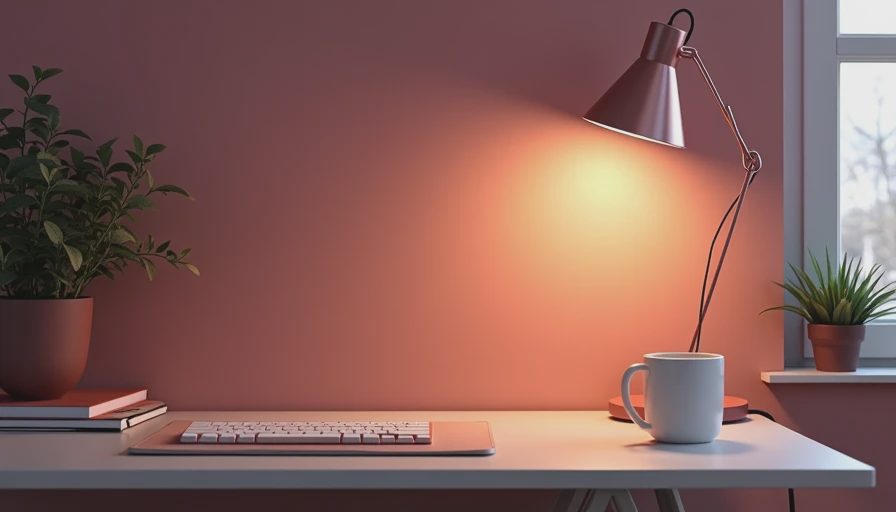
Lighting changes how finished the room feels. Put the desk perpendicular to the window when you can, so daylight lands on the work without throwing glare onto the monitor. A small task lamp with a warm-to-neutral bulb is enough for evening work, but I like 4000K bulbs for a desk lamp because they keep the page readable without turning the room blue. If you work on paper and screen in the same hour, that color temperature is a good middle ground.
Cable control should be built in, not added as a cleanup project later. A surge protector mounted under the desk, a cable tray, and a few adhesive clips solve most of the mess. If you use two monitors, a laptop dock, and a charger, route everything to one power point and leave a little slack for the desk to move if it is sit-stand. I have seen plenty of good furniture ruined by a loose power strip hanging in view. That is not a style problem. It is a planning problem.
The cheapest upgrade in the room is often the one people skip. A $35 lamp, a $20 cable tray, and a properly placed power strip make the whole setup feel calmer. That is money better spent than another decorative basket you will not use.
Make corners, closets, and shared rooms behave
For small spaces, home office desk setup ideas work best when the desk is treated like infrastructure instead of a centerpiece. A corner desk can be smart in a 9x10 room, but only if the monitor does not face the most distracting part of the house. A closet office is often better than people think: a 24-inch-deep top, a narrow lamp, and a couple of upper shelves can turn a dead nook into a real work zone. Keep the door clear and the floor simple so the space can still close up at night.
Shared rooms need furniture that looks calm from across the room. That usually means a straight desk with clean lines, a light-colored top, and storage that closes. If the desk doubles as a vanity, craft table, or guest-room landing zone, choose finishes that tolerate clutter and wipe down easily. Laminate and melamine are not glamorous, but they are practical. If the room has to serve three jobs, practical wins every time.
One more thing I have learned in real houses: do not buy a desk that forces the chair into the path of the room. If the chair has to roll into a bed frame, a hallway, or a closet door, the setup will annoy you long after the excitement of assembly wears off. The best layout is the one you stop noticing because it is simply in the right place.
A simple buying order that avoids bad decisions
If you are starting from scratch, buy in this order: desk, chair, light, storage, then accessories. The desk sets the footprint, the chair sets the working height, and the light decides whether the room feels useful after dark. After that, add only what solves a real problem. If the desktop stays clear without a shelf tower, skip the tower. If the printer sits in the next room, do not make space for one.
The best results usually come from a few solid pieces instead of a room full of small fixes. A 60-inch top, a stable chair, one drawer unit, one lamp, and a clean cable path will carry most people through a long workday. That is the setup I would recommend to a client, and it is the setup I would use again in my own office before I spent money on anything decorative. Start with the function, then let the room earn its finish.