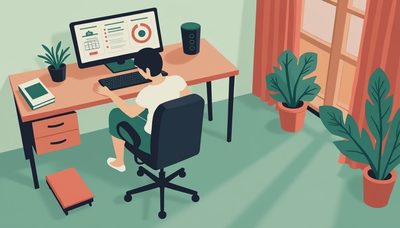

Home office desk setup is where most remote-work mistakes show up first. A desk that is too shallow, a chair that fights the surface height, or a storage stack that blocks the door will make eight hours feel like twelve. In Charlotte I see the same pattern over and over: people buy the prettiest desk, then spend the next month taping power strips to the floor and hunting for a place to put a printer. The fix is less glamorous but simpler. Start with the room dimensions, then choose the desk, then add storage that keeps traffic clear. Once that order is right, the rest of the home office desk setup gets a lot easier to live with.
Planning a home office desk setup for the room you actually have
Measure the room before you shop. A 10 by 11 bedroom can hold a real office, but only if you respect the door swing, the closet depth, and the path you need to walk behind the chair. I like to leave at least 36 inches of clear aisle where someone has to pass, and 24 to 30 inches of depth for the desk itself. If the room is narrow, put the desk on the longest uninterrupted wall instead of floating it in the middle like a magazine spread. That one move usually saves more usable space than an expensive desk ever will. It also keeps cords, printers, and storage from turning into ankle height obstacles.
When you sketch the room, mark the outlets and the window first. The best desk position is often the one that keeps screen glare down and lets you plug in without a long snake of extension cord across the floor. If the room is shared, think about the other person’s path too. A good home office desk setup should feel boring in the best way: nothing bumps, nothing blocks, and nothing needs to be moved every time you sit down.
The desk that belongs in a home office desk setup
For most people, the right desk is 48 to 60 inches wide and at least 24 inches deep. Twenty-four inches works for a laptop and a monitor arm, but 30 inches is better if you keep paper piles, notebooks, or two screens on the surface. That extra depth is what keeps your keyboard from crowding the edge. If you are considering sit-stand, look for a frame with a stable crossbar or reinforced legs, a decent weight rating, and a height range that actually fits your body. Cheap lifts are where wobble and noise show up first.
Materials matter, but not every room needs a heroic slab of wood. Laminate over MDF is fine if the edge banding is clean and the finish is thick enough to resist chips. Veneer looks better and usually costs more. Solid wood is nice, but it is not automatically smarter unless you want to refinish it later. In practical terms, a good desk might run $200 to $400 for a simple fixed model, $500 to $900 for a solid sit-stand option, and more if you want hardwood, drawers, or premium hardware. I have seen plenty of people spend extra on a fancy top when a sturdy frame and a right-sized surface would have solved the problem faster.

Chair, monitor, and light choices that finish the home office desk setup
Once the desk is right, the rest of the system starts to make sense. The chair should let your feet land flat and your elbows rest near desk height without shrugging your shoulders. If you already own a decent task chair from a brand like Steelcase, Herman Miller, or HON, use it. If not, spend enough to get a seat that adjusts cleanly and does not sag in six months. The chair matters more than the desk after about hour three.
For the screen, get the top of the monitor close to eye level. A laptop alone is a compromise, so use a stand or a separate keyboard if you work from one all day. One arm for a monitor is often enough; two arms are useful only when you truly use both screens. Lighting is the last part people ignore. A simple desk lamp with a 3000K to 4000K bulb is easier on the eyes than a ceiling can light blasting straight down. Add a cable tray or under-desk basket and a surge-protected power strip mounted under the top, not on the floor, and the whole workspace becomes cleaner immediately.
Storage that keeps a home office desk setup from getting cluttered
Storage should solve a problem, not create another one. A deep file cabinet is useful if you keep paper, but many people need less filing and more everyday catchall space. A pair of drawer units under a 60-inch desktop can work better than a single big cabinet because you keep the center open for your knees. If you prefer shelves, keep them 12 to 16 inches deep so they do not steal the room. Shallow shelves are enough for books, binders, and a few archive boxes; they also look lighter in a small room.
In my own office, the mistake I made the first time was buying storage that was too tall and too close to the chair. It looked efficient on the floor plan, then felt cramped every time I rolled back from the desk. The better version was lower and wider, with the printer on a lower shelf and the everyday files within arm’s reach. That change did more for the room than changing the desk ever did. A home office desk setup stays organized when the stuff you touch every day has one obvious place to live.
Room-by-room fixes for a home office desk setup
If you are working in a bedroom, treat the bed as a visual boundary and keep the desk on the opposite wall if possible. A 48-inch desk, one drawer unit, and a narrow bookcase can fit without making the room feel like a storage closet. In a closet office, go narrower and taller: a 42- to 48-inch desktop, wall shelves above, and closed storage below so the door can still open cleanly. In a shared living room or den, choose furniture that looks finished from the back, because someone will see that view every day.
The third bedroom in a house like mine can become a real office without a remodel. The trick is to leave one lane open from the doorway to the window, then build the work zone along one wall and the storage zone on the other. If the room is about 11 by 12, a 60-inch desk and a 30-inch-wide file or shelving unit can still leave enough breathing room for a chair and a side table. That is the difference between a workspace and a room full of furniture.
What I would buy first in a home office desk setup
If the budget is tight, buy the right desk size first and the rest later. A cheap but stable table with the correct depth beats a stylish desk that cramps your elbows. After that, buy the chair you will sit in all day, then the lighting, then the storage that keeps the desktop clear. That order protects your money because it fixes the parts of the room that affect comfort every hour, not just the parts that look good in photos.
A smart home office desk setup does not need a lot of square footage. It needs a clear layout, a surface that fits the work, and storage that stays out of the way. Get those three things right and you stop fighting the room. You start using it.