

Cable management under desk sounds like a small job until the first time a foot catches a power strip, a monitor arm tugs a cord loose, or a standing desk lifts and pulls everything out of alignment. I have seen that mess in enough home offices to know it is not a styling issue. It is a layout issue. When the wiring path is planned well, the desk feels calmer, the floor stays clear, and you stop spending time crawling around looking for the brick that slid behind the filing cabinet.
Start With the Wall, Not the Desk
Good cable management under desk starts at the wall outlet, because that is the fixed point in the room. Before you buy trays or clips, decide where the surge protector will live and how much slack you actually need. A 6-outlet strip with a flat plug is usually enough for a laptop dock, monitor, lamp, and charger. If the outlet is far away, use a single heavy-duty extension cord to reach the strip, not a chain of cheap adapters stacked together.
The cleanest route is usually along the baseboard, then up to the underside of the desk. In a 10-by-11 office, that can save you from crossing a doorway or running cords under a chair path. If the desk is against a wall, keep the strip a few inches off the floor so dust is not building up around it. If the room shares space with a printer or a modem, group those devices by function so you are not pulling three different cords to three different places.
Choose Hardware That Matches the Desk
Most people buy the first plastic basket they see, then wonder why it sags, rattles, or hangs too low for their knees. A steel cable tray is the better long-term choice under a 48-inch or 60-inch desk, especially if the desktop is solid wood or thick laminate and can take screws. Screw-in hardware stays put, and it gives you enough depth for a surge protector, a power brick, and a few coiled excess cords.
If you rent or do not want holes in the furniture, an adhesive raceway or clip system can still work, but keep expectations realistic. Adhesive is fine for light cords, a small power brick, or a laptop charger. It is not the right answer for a heavy bundle that gets moved every day. For a cheaper setup, I usually like a simple tray, a pack of Velcro straps, and two or three adhesive clips to control the last few inches near the desktop edge. That mix costs far less than buying a fancy all-in-one solution and does the same job.

Leave Room for Motion on a Sit-Stand Desk
On a standing setup, cable management under desk has to move without binding. The trick is to mount the tray or power strip to the fixed frame, not to the lifting top, then leave a service loop so the cords can flex as the desk rises and lowers. Eight to twelve inches of extra slack is usually enough for a normal home-office height range, and it keeps the cords from getting yanked every time the desk changes position.
A sit-stand desk also needs cleaner routing for monitor arms, desktop microphones, and laptop docks, because those are the items most likely to tug. I like to run the monitor power and data lines together inside a fabric sleeve, then let them drop into the tray in one controlled bundle. That is easier on the hardware and easier on your eyes. If you hear a click, see a cable stretch tight, or notice the tray shifting when the desk moves, the routing is wrong and needs another pass.
Keep the Floor and Chair Path Clear
A desk can look neat from the front and still be a trip hazard underneath. The goal is not just hiding wires. It is making sure nothing hangs into the chair swing, the footrest area, or the path to the printer. If the office is narrow, run cords close to the rear legs and use baseboard covers where they cross open floor. Those little plastic or rubber covers are not glamorous, but they are a lot better than a loop of cable dragging under your heel.
This is where the room size matters. In a 9-by-10 office, every inch under the desk counts, so a low-profile tray and a single cable sleeve are usually smarter than a large basket with open sides. In a shared room or a closet office, I would rather see one clean vertical drop behind the desk than three cords draped across the floor. The room feels bigger when the baseboards and floor finish are visible.
What to Buy First if You Want the Cheap Fix
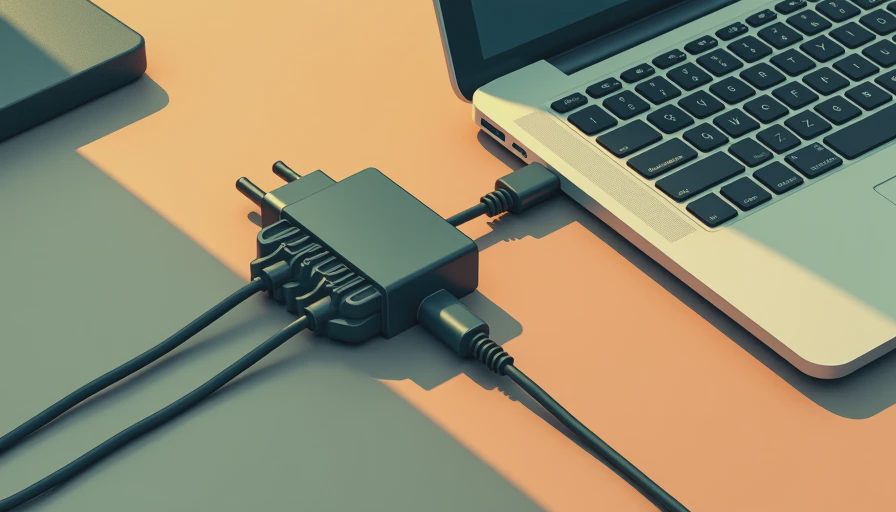
If you want the fastest upgrade without overthinking it, start with three things: a metal under-desk tray, a quality surge protector, and a small pack of Velcro straps. That combination handles most remote-work setups without turning into a weekend project. Add two adhesive clips near the rear edge of the desktop, and you can usually tame the loose charger and headphone cable that always end up hanging in the wrong place.
For most rooms, cable management under desk does not need custom carpentry. It needs the right order of operations. Put the power source in one place, give each cord a path, and keep the excess length coiled in the tray instead of on the floor. If a $20 raceway and a $15 strap kit solve the problem, that is the smarter buy than a premium kit with parts you will never use. The best setup is the one that disappears during the workday.
A Setup That Stays Quiet for Years
The setups that hold up are boring in the best way. Nothing rubs, nothing sags, and nothing has to be rescued with painter's tape every six months. On my own desk, I would rather have one steel tray, one strip, and a few good clips than a pile of decorative accessories that look tidy until the first time the desk moves. That is the real test of a home office: not how it looks in one photo, but how it behaves after a year of use.
If your cable management under desk still feels messy after the first pass, do not start by buying more gadgets. Check the order of the wiring, shorten the runs, and move the power source closer to the devices that need it. In most cases, that is enough to turn a cluttered desk into a space that feels easy to use every day.