

A gaming chair can be a sensible home-office purchase, but only if you judge it like a piece of working furniture rather than a racing-inspired accessory. Remote workers often spend eight or more hours in the same seat, and the right gaming chair should support your pelvis, keep your shoulders relaxed, and fit the actual footprint of your room. The bright color and cutout headrest are optional. Adjustability, foam quality, stable hardware, and dimensions are not.
I have seen plenty of chairs that look impressive in a product photo and feel wrong after two meetings. The usual problems are a seat pan that is too deep, armrests that cannot get close enough to the desk, or bonded leather that starts peeling after a couple of summers. Start with measurements and construction. The styling comes last.
What makes a gaming chair suitable for work
The first question is whether the chair lets you sit with your feet flat and your knees close to a 90-degree angle. Measure from the floor to the top of the seat cushion. A useful range for many adults is roughly 17 to 21 inches, but your desk height matters. At a fixed 29-inch desk, a seat that is too tall forces your shoulders upward while typing.
Look for a seat pan between about 18 and 20 inches wide and a depth around 17 to 19 inches. Depth means the distance from the front edge to the backrest, not the total chair depth. You want two or three fingers between the seat edge and the back of your knees. A sliding seat pan is especially helpful for shorter users, while taller users should look for a backrest tall enough to support the shoulder blades.
A gaming chair with a flat or gently contoured cushion is usually easier to use for spreadsheets and video calls than a deeply bucketed model. Side bolsters can look dramatic, but they restrict hip movement and often press against the thighs. If you shift positions while working, choose freedom of movement over visual drama.

Materials that determine service life
Foam is one of the hidden differences between a $180 chair and a $500 chair. Low-density foam feels soft in a showroom because it compresses quickly. Higher-density molded foam usually holds its shape longer, although a firm cushion can take a week or two to feel natural. Ask whether the manufacturer lists foam density; if it does not, pay closer attention to the warranty and return period.
Upholstery also deserves a practical look. PU leather, often called synthetic leather, wipes clean and gives a gaming chair its familiar appearance, but heat and humidity can accelerate peeling. Fabric breathes better and hides minor scuffs, though it needs more careful cleaning. Mesh can be excellent for hot rooms, but inspect the frame supporting the mesh. A thin plastic perimeter can flex or crack where a stronger nylon or metal frame would remain stable.
The base should be metal or reinforced nylon with a five-star footprint. Casters should roll without binding on your floor. Hard casters are useful on low-pile carpet; soft polyurethane casters are quieter and safer for many wood or vinyl floors. A replacement caster set commonly costs $20 to $50, so choose a chair with a standard stem size and accessible spare parts.
Adjustments worth paying for
A gaming chair does not need every lever on the market. It does need height adjustment, a backrest that reclines, and armrests that move in more than one direction. Height handles your desk relationship. Recline lets you change posture during reading or calls. Armrest width and height determine whether your neck carries the load while you type.
Four-dimensional armrests, which adjust up, down, forward, backward, and sometimes pivot, can be useful, but they are not automatically durable. Check for side-to-side wobble. A small amount of play is common; a pad that drops under the weight of your elbow is a hardware problem. A gaming chair with sturdy two-dimensional arms can outperform a feature-heavy model with weak locking mechanisms.
Tilt tension is another overlooked control. It changes how much force you need to recline. Set it so the backrest supports you without throwing you backward. The lock should engage cleanly at several positions, not only fully upright. Lumbar support is best when it can move vertically or inflate with an adjustable cushion. A fixed pillow may land too high for one person and too low for another.
Matching the chair to a real room
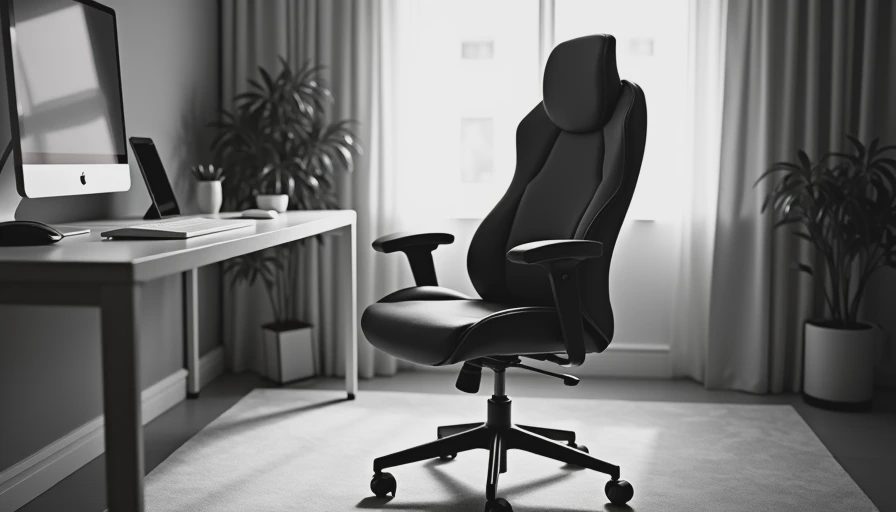
In a 10-by-11-foot office, leave at least 30 inches behind the chair if you regularly recline or roll away from the desk. A chair that measures 27 inches wide can require more than 40 inches of practical clearance once the armrests and wheel movement are included. Mark the footprint with painter's tape before ordering. This takes five minutes and prevents an expensive return.
For a corner setup, measure both walls and keep the desk depth near 24 to 30 inches. A gaming chair with wide side bolsters may collide with the desk corner when you turn toward a second monitor. In a shared bedroom, prioritize quiet casters and a subdued fabric finish. A black fabric chair usually disappears more easily than a red-and-black faux-leather model, and it will not dominate a room when work is finished.
If your office is a converted closet or narrow landing, check the chair's total depth, not just its seat measurements. Recline mechanisms can add six to ten inches behind the backrest. A compact model with a 24-inch overall depth may fit where a large racing-style chair cannot. The best gaming chair for a small room is the one that leaves enough space to move safely around it.
Price tiers and where the value changes
Under $200, expect basic tilt, modest foam, fixed lumbar pillows, and more plastic in the frame. That price can work for a part-time desk, especially if the return policy is generous. Inspect the cylinder, base, and armrest attachment points first; those parts determine whether the chair feels stable.
Between $200 and $450, you can usually find better cushions, stronger mechanisms, adjustable arms, and fabric options. This is often the most practical range for a full-time remote worker. Brands such as Secretlab, Razer, and Corsair occupy recognizable parts of the gaming market, but model specifications matter more than the logo. Compare warranty length, replacement parts, seat dimensions, and return shipping before comparing colors.
Above $450, you are paying for better mechanisms, premium upholstery, recognizable design, or a longer warranty. Some buyers should instead consider an office chair from Steelcase or Herman Miller, particularly if they prefer a flatter seat and task-oriented posture. A gaming chair is not automatically more supportive because it has a taller backrest. The value is in the fit and adjustment range.
A sensible buying and setup process
Measure your body and desk before opening a shopping tab. Record your height, hip width, preferred seat height, desk height, and available floor space. Then shortlist two or three models with published dimensions. Eliminate any gaming chair whose seat depth, armrest height, or total footprint cannot work in your room.
Read the warranty language carefully. A five-year frame warranty may cover only the structure, while cushions, upholstery, casters, and armrests receive much shorter coverage. Look for a clear return window and verify who pays return freight. A chair that costs $300 but requires a $90 return shipment is not a low-risk experiment.
When it arrives, assemble it on a rug or blanket, tighten each bolt evenly, and let compressed foam recover overnight. Set the seat so your feet rest flat, bring the armrests level with the desk, and keep the monitor high enough that your neck stays neutral. Recheck the settings after several workdays. The gaming chair that feels slightly firm and stable is usually a better long-term choice than one that feels plush but leaves you sinking into the frame.